Type the fields, that’s it
No merge fields: type the field name between braces in Word, even in the middle of a sentence.
Odoo app · Community & Enterprise
Write your contracts, certificates and letters in Word, type the fields between double braces, and print them from any record. Nothing to install on the server.
€39 excl. VAT, one-timeOdoo 18 · 19 · 20
For whom: Companies that keep their contract or letter templates in Word and want to fill them from Odoo.
No merge fields: type the field name between braces in Word, even in the middle of a sentence.
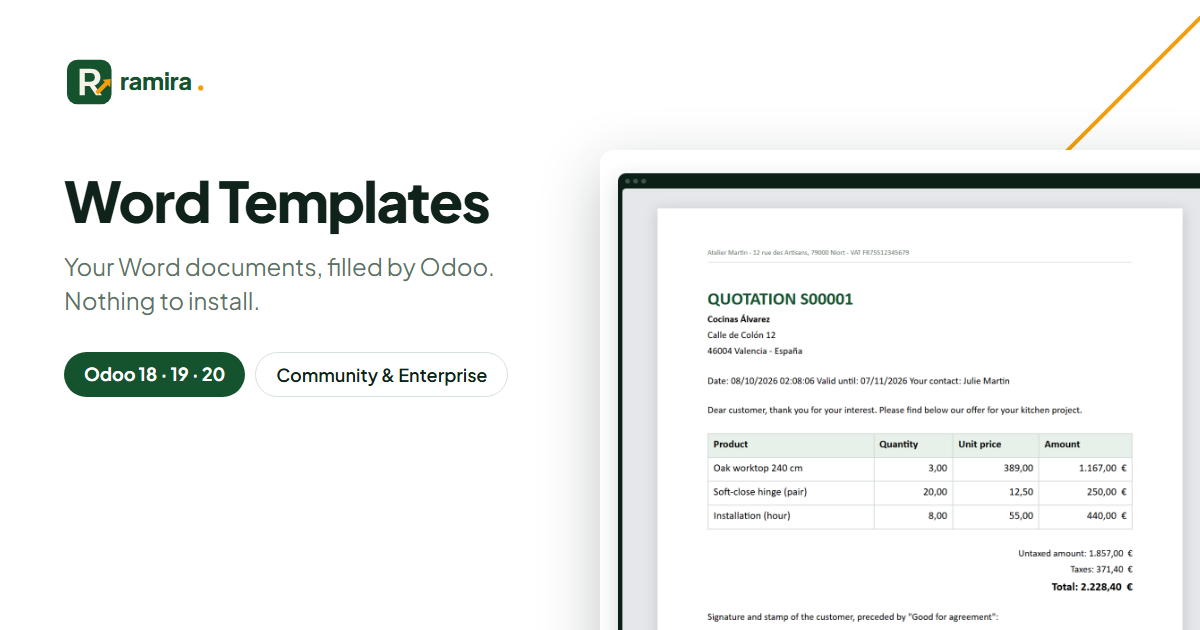
A table row is repeated for every line of the order.
The checker lists every field of the Word file and flags those that do not exist.
Real screenshots of the app, taken on an Odoo demo database.
Every field is listed with its name in plain words; unknown ones are shown in red.
A quotation filled from Odoo: customer, dates, amounts and one table row per order line.
One record gives a .docx, several records a ZIP; a copy is kept as an attachment.
No for Word files: the app reads and writes .docx in pure Python.
Any record: quotations, invoices, contacts, employees, projects, rentals…
On the official apps.odoo.com store, for Odoo 18, 19 and 20, Community and Enterprise, on Odoo.sh or on your own server. Odoo Online does not accept third-party apps. E-mail support included.
Describe it in a few lines: reply within 2 business days, with a first estimate.
Ramira measures its audience with Google Analytics, only if you accept. You can change your mind with the “Manage cookies” link at the bottom of the page. Learn more